
Smart TVs have revolutionized the way we consume media, offering the ability to stream online content, browse websites, and play games directly on your television.
However, the content available on your smart TV can often be limited by geographic restrictions. A VPN (LightningX VPN) can help you bypass these limitations, providing access to a world of entertainment.
Why Use a VPN for Your Smart TV?
A VPN can enhance your smart TV experience by:
- Unlocking Geo-Restricted Content: By changing your IP address, a VPN can make it appear as though you are accessing the internet from a different country. This allows you to watch films, shows, and dramas that are otherwise unavailable in your region.
- Enhancing Security: VPNs encrypt your data, protecting your browsing history, IP address, and other sensitive information from hackers and malicious activities. 3. Finding Affordable Subscription Plans: Subscription prices for streaming platforms and online games can vary by region. A VPN allows you to change your IP address to regions where these services are cheaper.
Best VPNs for Smart TV
Here are three VPNs that are highly recommended for smart TV users, along with their key features and pricing plans.
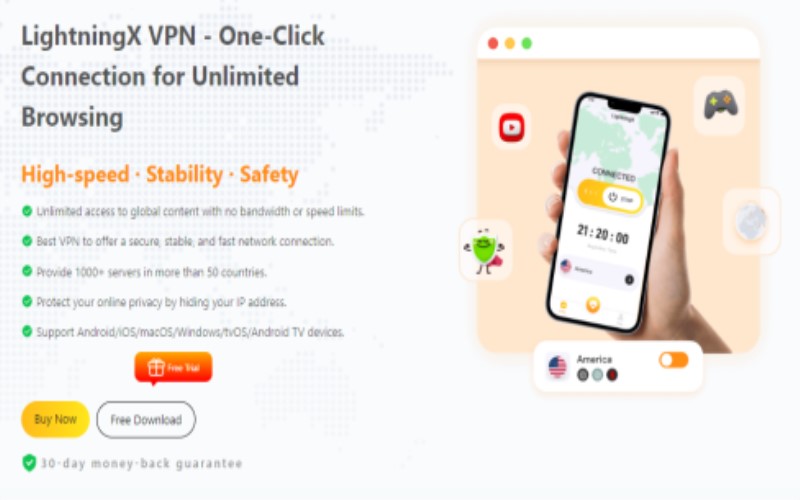
LightningX VPN is renowned for its blazing speed and robust security features. Here’s what it offers:
Strong Encryption Protocols: Utilizing Shadowsocks, Vless, and WireGuard, LightningX VPN ensures that your data and IP address are protected from being tracked or hacked. ●
High-Speed Connections: With no bandwidth limitations, you can enjoy uninterrupted streaming on your smart TV.
Extensive Server Network: Over 1,000 servers in more than 50 countries, including popular locations like the US, Australia, Japan, and Singapore.
Compatibility: Supports major streaming platforms like Netflix, Disney+, HBO, and more. It’s compatible with Windows, macOS, iOS, Android, Apple TV, and Android TV.
Pricing Plans:
1 Day: $0.99 (Most popular).
1 Month: $0.19/day, $5.99 total.
3 Months + 1 Month Free: $0.13/day, $15.99 total.
1 Year + 1 Year Free: $0.08/day, $59.99 total. Best value you can have. 7-day free trial and 30-day money-back guarantee.
Setting Up a VPN on Your Smart TV
If your smart TV does not natively support VPN apps, you can still connect it to a VPN using the following methods:
Using a LAN Cable
Windows PC:
- Open “Control Panel” and navigate to “Network and Internet” > “Network and Sharing Center”.
- Click “Change Adapter Settings”.
- Right-click on your VPN connection and select “Properties”.
- Under the “Sharing” tab, check “Allow other network users to connect through this computer’s internet connection”.
- Select “Ethernet” and click OK.
- Connect your PC and smart TV using an Ethernet cable.
Mac:
- Install a VPN on your Mac.
- Go to “System Preferences” > “Internet Sharing”.
- Share your connection from “Ethernet” and to “Ethernet”.
- Connect your Mac and smart TV using an Ethernet cable.
Using a Wi-Fi Hotspot
Windows PC:
- Go to “Settings” > “Network & Internet” and enable “Mobile Hotspot”. 2. Share your internet connection from “Wi-Fi”.
- In “Control Panel”, navigate to “Network and Sharing Center” and allow other network users to connect.
- Connect your smart TV to the Wi-Fi network created by your PC. Mac:
- Go to “System Preferences” > “Sharing” and enable “Internet Sharing”. 2. Share your connection from the VPN adapter to “WiFi”.
- Connect your smart TV to the Wi-Fi network created by your Mac. Installing a VPN on a Router
This method requires a VPN-compatible router. Check your router’s manufacturer website or your VPN provider for detailed instructions.
Using Smart DNS
Some VPNs offer a Smart DNS feature that allows you to change your IP address without installing a VPN app. Check your VPN provider’s website for setup instructions.
Conclusion
Using a VPN on your smart TV unlocks a world of content and enhances your online security. Whether you choose LightningX VPN or other VPN, you’ll enjoy unrestricted access to your favorite shows, films, and games. Follow the setup methods provided to start enjoying a secure and limitless streaming experience today.

Rockies Ripple is the founder and lead writer behind the independent blog tvplutos.com